Snapchat Lenses

Snapchat's Latest

Showing posts with label snapchat app. Show all posts

Snapchat's latest update (19th November, 2015) version 9.20.0.0 has added some more interesting features.  This update allowed Snapchatters to slow down, speed up or reverse their videos and also brings the "Lenses" feature to the rear camera. By activating the Lenses while filming someone by holding a finger over their face, you'll see a grid displayed over it, and an array of Lenses at the bottom to swipe over.

The recent update also introduced support for 3D Touch in the new iPhone 6S and 6S Plus. Snapchat has also added small timestamps to the right of your list of stories to watch, indicating how recently a story was last updated. It's a small feature, but it beats guessing how old a story is by eyeballing the shrinking pie chart graphic on each one.

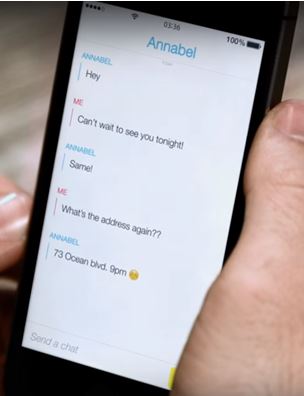
The most interesting feature added in the newest update to enhance your disappearing-picture experience, however is the “Chat”. This Chat feature make it easier to reply to story snaps and easier to chat. Definitely made it a lot easier for people to engage with friends while watching their stories.

*
This update is available both for iOS and Android and puts a little "Chat" prompt at the bottom of the screen while watching a friend's story. The chat feature is not new in Snapchat, it has been around for quite some time, but now that it is tied to the Story feature, chatting can now be more personal, and maybe even more fun, considering what many teens use Snapchat for these days.

*

How to Chat with friends and Reply Chat on Snapchat?

Here’s what Snapchat in their official blog had to say about this new feature.

“Swipe right on a friend’s name in your Snapchat inbox to start chatting. When you leave the Chat screen, messages viewed by both you and your friend will be cleared – but either of you can always tap the message or screenshot to save anything you’d like to keep (addresses, to-do lists, etc.)!

We let you know when a friend is Here in your Chat so that you can give each other your full attention. And if you’re both Here, simply press and hold to share live video – and chat face-to-face!”

This Chat feature makes it easier to start a conversation with another user based off something they snap to their story, whereas before users weren't quite sure which snap any incoming message may be replying to. Now, when viewing a snap in someone’s story, you can swipe upward to send that user a direct chat message. The friend you're talking to will receive a notification to the conversation along with the Snap being discussed. Pleease note that to enjoy this new feature you need to update your already Snapchat App.


Happy Snapping!

More Tips: 

Frequently Snapchat app gets new lenses, but only few of them become very popular. One such lens is the Snapchat Face Swap lens that came out on 28 February,2016 (Friday). The latest lens -Face Swap is a two-person lens, the first one of its kind on Snapchat, and has been gaining great reviews on social media.
 Snapchat Face Swap
Of course, face swaps have terrified the internet for ages now, but Snapchat goes further as with other Lenses, the effects react to your movements, meaning you can make the above  thing (and any other creepy faceswap) look like it’s actually alive.  Face-swapping, in case you've some how managed to miss all the fun, is a simple digital switcheroo -- you take a picture of your face, select someone else's face, and go! They're swapped like magic. Sometimes the results are very impressive. More often, they're funny. Every so often, they're horrifying too. The horror usually comes from people trying to swap faces with animals or non-living objects, which also happens to be how the most amusing swaps occur. Your mileage may vary. The feature is available as a new lens, which you can pull up by tapping and holding your face on camera, then scrolling over to the face swap lens. Basically what it does is just copy and paste faces. Except, the results are so much creepier than we would expect with such a simple concept. Seriously, even the most gorgeous people turn into two awful Franken-beasts in the eyes of this new filter.

*

However, many users are still are struggling with using the damn thing. We’ve put together a quick tutorial to help you face swapping.

How to use Snapchat Face Swap

Lets assume you have Snapchat and the latest version, to enjoy this new feature you need to update your Snapchat app to the latest version which is available on app market.


* First go to your snapchat filters using the front facing camera (top right).
* Swipe left through the filters till you get to the fifth one which is the Snapchat Face Swap filter.
* Next, inorder to have that extra face you will need to grab a friend or anything thing like you pet hat you *would like to swap faces with and align your faces into the round face holes provided.
* Now, launch the Snapchat app and tap twice on the camera screen for activating the front camera.
* Then tap and hold on your face until the new lenses come up. Browse through them and choose the Face Swap lens, denoted by two smiling faces and arrows.
* Now point the front camera at you with the second person beside you.
* Once the camera recognizes two faces, it will swap them automatically.
* Click on the Face Swap button to capture your magic moment (click once for photo, hold down for video) and send your snap to friends or add to your story as per usual.
* You can now snap a photo or shoot a small video clip.
Snapchat Face Swap
Happy Face Swapping!

Image Credit: thedebrief.co.uk

You May Also Like:
Barely after two months when Snapchat introduced some fun filters that let you play around with your video snaps for iOs devices, Snapchat finally brings the one feature -the Rewind Filter that was missing on Android in its latest updates on 27 January, 2016. One feature missing on Android was the Rewind filter.  This feature plays your video back at the same speed but in reverse or it plays the video backwards.  Now, Android users finally get to play around with this filter.

How to use Snapchat rewind filter on Android


To use the Snapchat rewind filter on Android, you will have to take or record a video as you normally would, you can then swipe left and right through the various filters. Do this until you come across the three arrows pointing to the left. When selected, the recorded video will be played backwards, which can then be sent to your Snapchat friends. Please note thatb to enjoy this new feature you need to update your Snapchat app to its latest version. It’s fun and is something that Android users of the app have been eager to try.

*
The January update doesn’t add any other new features or bug fixes, at least, that’s what the ‘What’s New’ description in Play Store says. The only new addition seems to be the Rewind filter.

Recent Snapchat leaks has provided some preview at what seems to be a new interface for Snapchat. The leak revealed new features such as video calling, audio calling and stickers. If this leak is true, snapchat is serious competing with other video call services.

Snapchat is one of the most popular messaging app, according to Snapchat, in May 2015 the app's users were sending 2 billion photos and videos per day, while Snapchat Stories content was being viewed 500 million times per day. In November 2015 the number reached 6 billion of videos per day. The company has a valuation of $10–$20 billion, depending on the source. In 2016, Snapchat hits 7 billion daily videos views.

*
You Might Also Like: 
Snapchat Face Swap ~ How to use Snapchat Face Swap

Snapchat On-Demand Geofilter - Snapchat Custom Filters. How it Works
How to Video Chat on Snapchat? - How to Live Chat on Snapchat?
Snapchat New Trophies - Snapchat Added Eight (8) New Trophies on December 22nd, 2015

Snapchat ‘Speed Modifiers’ Video Filters - How to use snapchat Slow Motion, Fast-forward and rewind filters
What does a Gold Star emoji mean on Snapchat? What Does a baby mean on Snapchat?
What are Snapchat Trophies? What do Snaptchat Trophies mean?
How to use Snapchat lenses?
Snapchat Add Nearby - Snapchat Update
How to use Snapchat? Setting up Snapchat Account
Download Snapchat for Android, iOS and Windows
How To Remove or Delete friends on Snapchat
How to Create and Send Snaps on Snapchat?
Snapchat Emoji meanings ~ Snapchat Updates
What Do Snapchat Emojis and Numbers Mean?
Snapchat Geofilters - Everthing you need to know
How to Search Snapchat Username, Lookup Snapchat Usernames
What Do Snapchat Emojis and Numbers Mean? 
Snapchat Hack: How To Record Longer Videos On Snapchat or increase Snapchat Video length
*
Blocking is a new social media tool feature, meant to be used. People have different ways of dealing with pain and relationships problems. For some people, out-of-sight is out-of-mind and blocking perhaps serves the purpose. Blocking may effectively prevent people who can potentially harm you by sending you annoing Snaps from doing so.  Blocking also give people a sense of control, as if they are the ones doing the "break up."  It is an act done when people feel disrespected but feel powerless to win respect in some positive way.  In some cases you may take this action when you think someone isn't interested in you, you aren't matching the criteria of someone for acknowledging your  presence, someone else referred your name to others to put you in block list.

Tired of receiving Snaps from someone on your Snapchat contact list?  Whatever the reason may be, here's how to block someone on Snapchat.

*

Block someone on Snapchat

Removing or Deleting or Blocking someone on Snapchat is very simple process. Just follow the step by step we have provided below;

Blocking a Snapchatter from Added Me

To block a Snapchatter who added you follow the steps below.
1. Open the Snapchat app and Tap 'Added Me' on the Profile Screen.


2. Go to your list of friends and scroll down until you reach the username of the person you wish to block.
3. Tap once on their name, then tap the Gear icon next to their name.


4. Press 'Block' to prevent them from sending you Snaps, Chats, or from viewing your Stories.

Or press 'Delete' to remove them from your Friends.


Blocking a Snapchatter from My Friends


To block a Snapchatter who is your Friend follow the steps below.

1. Tap 'My Friends' on the Profile Screen.
2. Tap on their name.
3. Tap the  below their name and select 'Block' to prevent them from sending you Snaps, Chats, or from viewing your Stories.

Blocking a Snapchatter in Chat

To block a Snapchatter who chatted you follow the steps below.
1. Swipe left on the Snapchatter's name who chatted you to open the Chat screen.
2. Tap  Menu
3. Tap 'Block' to prevent them from sending you Snaps, Chats, or from viewing your Stories.

Unblock a Snapchatter from Snapchat

You can unblock a Snapchatter by following the steps below.
1. Tap  Gear icon on the upper-right corner of the Profile screen.
2. Tap 'Blocked' under the 'Account Actions' section at the bottom of the Settings screen.
3. You will see a list of the Snapchatters you have blocked. Tap 'X' next to their name to unblock them.


Hope this helps in blocking someone on Snapchat. Happy Snapping!
*

You Might Also Want to Check Out:
Snapchat Names or Usernames of Celebrities
Snapchat On-Demand Geofilter - Snapchat Custom Filters. How it Works
How to Video Chat on Snapchat? - How to Live Chat on Snapchat?
  Snapchat rewind filter on Android ~ Snapchat Updates Brings Rewind Filter to Android
Snapchat New Trophies - Snapchat Added Eight (8) New Trophies on December 22nd, 2015

Snapchat ‘Speed Modifiers’ Video Filters - How to use snapchat Slow Motion, Fast-forward and rewind filters
What does a Gold Star emoji mean on Snapchat? What Does a baby mean on Snapchat?
What are Snapchat Trophies? What do Snaptchat Trophies mean?
How to use Snapchat lenses?
Snapchat Add Nearby - Snapchat Update
How to use Snapchat? Setting up Snapchat Account
Download Snapchat for Android, iOS and Windows
How To Remove or Delete friends on Snapchat
How to Create and Send Snaps on Snapchat?
Snapchat Emoji meanings ~ Snapchat Updates
What Do Snapchat Emojis and Numbers Mean?
Snapchat Geofilters - Everthing you need to know
How to Search Snapchat Username, Lookup Snapchat Usernames
What Do Snapchat Emojis and Numbers Mean? 
Snapchat Hack: How To Record Longer Videos On Snapchat or increase Snapchat Video length



Snapchat monetize your lens and convert popular feature Supplements pictures in a new source of profits. Lens add-on,
offering a variety of animations and effects can be overlaid on photos,
It is one of the most popular features of the service.
*

the characteristic of the lens is used in about 10 million impressions per day.
New targets will cost 99 cents each, and once a user pays for a they will have unlimited use of additional filter.

Snapchat was also proposes lens products sponsored by advertisers like Peanuts film.
Snapchat, Austin Carr Fast Company had an extensive look at the last month, has been aggressively monetize their products and services during the last quarter.

Sponsored lenses, according to a previous report, should provide up to 16 million views, advertisers will cost between $ 450,000 and $ 700,000 per day for the holiday. Snapchat also added a replay feature, allowing individual users message "replay" won in the amount of 99 cents.
*
Snapchat has launched one of the most talked about updates last week and there hase been many confusions among Snapchatters with regards to the new emojis. This latest updates includes animated selfie lenses, a trophy case and paid replays.

The lack of explanation is not unprecedented. It has become Snapchat’s tradition of keeping Snapchatters curious about the various features. Whenever, new features are launched, Snapchat hardly provides any official axplanation or documentation about what each features mean or represented.

This is a part of an attempt to gamify the application and also marketing strategy to create virality by making Snapchatters to flock to social networking sites and other platforms seeking for answers. This strategy has enhance coverage and discussions of the application or the subject and ultimately it increases its popularity or its presence on the web.

*
With the new updates, there is an emojis appear right next to your friends’ name or friend list on the application homescreen. This update has added a Gold star and a mysterious Baby emoji on the right hand side of a snap before being opened. Though most of the other features receive immense coverage across the web and in this blog, the mysterious new emojis were seem to be left out.

The new update also left out many users of iPhones and older version of Android phones despite meeting minimum requirements. 

*

What does a Gold Star emoji mean on Snapchat? 

What Does a baby mean on Snapchat?


The gold star and baby emoji has joined the red and pink hearts as the latest Snapchat emoji to further confuse snapchatters with its meaning. Both emojis arrived bundled with the Snapchat latest update (September). The explanation was shrouded in mystery. Fortunately we’ve come across some explanations for the two. The Gold Star emoji accompanies the name of a friend who has recently replayed your Snap. In other words, Gold Star is actually an indication to show that one or more of a recipient’s friends replayed snaps of theirs in the past 24 hours.

On the other hand, the explanation for the baby emoji seems sufficiently viable; when you snap a recently added friend, the emoji will show next to their name to signify that the user has been added recently and needs "love" or interactions. These are the latest friends lists emoji.

So that’s what the Gold Star and Baby emoji on Snapchat is all about.

For the rest of the new snapchat moji meanings, please check out our previous post:
Snapchat Trophy Case List - Complete list of Snapchat Trophies

The latest version of Snapchat provides the opportunity for users to replay a snap for a period of 24 hours after the first viewing. This can be done by going to Settings (small gear icon located top right) in the Snapchat app and tapping on Additional Services, and then tapping on the replay option. One replay is enabled, you simply hold down on the snap you want to replay for a couple seconds and then it will ask you if you want to replay it and you can.

*
You May Also Like:
Snapchat Online Login ~ How to Login Snapchat Online?
 Snapchat rewind filter on Android ~ Snapchat Updates Brings Rewind Filter to Android
Snapchat New Trophies - Snapchat Added Seven (7) New Trophies on December 22nd, 2015
Snapchat Chat Reply - How to Chat and Reply to Snaps or Stories on Snapchat
Snapchat ‘Speed Modifiers’ Video Filters - How to use snapchat Slow Motion, Fast-forward and rewind filters
What are Snapchat Trophies? What do Snaptchat Trophies mean?
How to use Snapchat lenses?
Snapchat Add Nearby - Snapchat Update
How to use Snapchat? Setting up Snapchat Account
Download Snapchat for Android, iOS and Windows
How To Remove or Delete friends on Snapchat
How to Create and Send Snaps on Snapchat?
Snapchat Emoji meanings ~ Snapchat Updates
What Do Snapchat Emojis and Numbers Mean?
Snapchat Geofilters - Everthing you need to know
How to Search Snapchat Username, Lookup Snapchat Usernames
What Do Snapchat Emojis and Numbers Mean? 
Snapchat Hack: How To Record Longer Videos On Snapchat or increase Snapchat Video length
Well, as expected , Snapchat in its latest updates has added another fun feature which make Snapcahtters curious about it, This feature is called Snapchat Trophies-a list of trophy or emoji which unlock by completing various activities, each of this trophy indicates different achivement levels or milestone. This feature is another Snapchat attempt to gamify the app by adding this Trophy Case. Basically this new feature won't make your hard hard work snapping away won't be going unnoticed any longer, because with this you will actually be rewarded with trophies based on your activity


Like the popular old feature of Snapchat Scores with a mysterious statistics with no official explanation from the Snapchat Team, the new Snapchat Trophies has make a new headline, many curious Snapchatters flock to Twitter and other social networking sites seeking for the list of Trophy and their meaning.

*

So far, there is no official explanation or the complete list of trophy listed on Snapchat's official website, we try our best trying to bring out the list we could gather from various Snapchatters and their meaning. According to what we have observed so far, there are 16 trophies and some of them are grouped. Grouped Trophies are unlocked in succession and take up only one slot. According to some Snapchat expert there are a total of 29 different trophies.
 
If we missed out some trophies in the list or have achieved or unlocked a trophy which is not included in the list please add or mention them in the comment section below.

To see which trophies you have earned, follow these steps:

1. Tap the Ghost icon on the Camera screen.
2. Tap the Trophy icon at the top of the Profile screen.
3. Tap a trophy to see how you earned it! Some trophies have multiple levels of achievement.

*

Full list of Snapchat Trophy Case and their meaning

1. One Finer Ponited Up

This indicates that you have sent a Snap with one Filter applied.


2.Two Fingers Point Up or Peace Sign


This Peace Sign indicates that you have sent a Snap with Two Filters applied.


3. Baby Face


This mean that your Snapchat score hits 10


4. Sun Face


Sending a Snap with the temperature filter above 100° F


5. Half Moon


Sent 50 Snaps in a Night mode


6.Panda Bear


You have sent 50 Snaps using Black and White filter.


7.Monkey Holding Ears


Sending a Snap without a sound.


8. Devil Face or Ogre


You have 1000 Snaps using the front facing camera.


9.Ghost


Your Snapchat score hits 500,000


10. Rainbow


You have sent 10 Snaps using 5 or more pen colors.


11.Lollipop


You have sent 10 Snaps using 5 or more pen colors.


12.Artist Palette


You have sent 50 Snaps using 5 or more pen colors.


13. Gold Star


Your Snapchat score hit 100.


14. Sparkles or Three Stars


Your Snapchat score hit 1,000.


15. Shooting Star


Your Snapchat score hit 10,000.


16. Red and Yellow/Fireworks


It means that have a Snapchat score of 50,000 but less than 100,000.


17. Rocket Ship


Rocket is a milestone achievement, which means that you have 100,000 Snapchat scores.


18. Snowflake


Sending a Snap with the temperature filter below freezing


19. Video Tape/VCR


This mean that you sent a video Snap.


20. Old School Camera


You have sent 50 video snaps.


21. Video Camera


You have sent 500 video Snaps.


22. Egg in Frying Pan


You sent Snap between 4:00 AM and 5:00 AM


23. ABCD


This indicates that you have sent 100 Snaps with enlarged text.


24. Microscope


This mean that you have sent 10 video Snaps that have zoomed in.


25. Magnifying Glass


It means that you have sent 10 Snaps which zoomed all the way in.


26. Flashlight/Torchlight


This indicates that you have sent 10 Snaps using the front facing flash.


27. Loop One /Rewind


Sending a front facing to rear facing video snap.


28. Loop

Flipping the camera 5 times in one video Snap.


29. Flip /Rotate


This mean that you have flipped camera 10 in one Snapchat video.


Happy Snapping!

Latest Update, check out: Snapchat Names or Usernames of Celebrities

Check New Snapchat Trophies:
Snapchat New Trophies - Snapchat Added Seven (7) New Trophies on December 22nd, 2015

*
See Also:
Snapchat Online Login ~ How to Login Snapchat Online? 
Snapchat Birthday Filters ~ How to use Snapchat birthday filters  
Snapchat Face Swap ~ How to use Snapchat Face Swap

Snapchat On-Demand Geofilter - Snapchat Custom Filters. How it Works
How to Video Chat on Snapchat? - How to Live Chat on Snapchat?
 Snapchat rewind filter on Android ~ Snapchat Updates Brings Rewind Filter to Android
Snapchat Chat Reply - How to Chat and Reply to Snaps or Stories on Snapchat
Snapchat ‘Speed Modifiers’ Video Filters - How to use snapchat Slow Motion, Fast-forward and rewind filters 
What does a Gold Star emoji mean on Snapchat? What Does a baby mean on Snapchat?
What are Snapchat Trophies? What do Snaptchat Trophies mean?
How to use Snapchat lenses?
Snapchat Add Nearby - Snapchat Update
How to use Snapchat? Setting up Snapchat Account
Download Snapchat for Android, iOS and Windows
How To Remove or Delete friends on Snapchat
How to Create and Send Snaps on Snapchat?
Snapchat Emoji meanings ~ Snapchat Updates
What Do Snapchat Emojis and Numbers Mean?
Snapchat Geofilters - Everthing you need to know
How to Search Snapchat Username, Lookup Snapchat Usernames
What Do Snapchat Emojis and Numbers Mean? 
Snapchat Hack: How To Record Longer Videos On Snapchat or increase Snapchat Video length
Snapchat in its September updates has upped the selfie game in a big way with its newest lenses feature, which detects the shape of your face and turns it into a kind of human emoji. Those puking rainbows, you’ve probably seen plastered over Facebook and other social networking sites, originate from the new update. There are three main additions in the update. Previously, you could replay snaps, although there were a restricted number available every single day. With the new update, you’ll be able to purchase more replays through in-app purchases. This is the latest installment in Snapchat’s attempts to monetize its application.
Unfortunately, the vomiting rainbow no longer exists, which means no more of this. If you've probably grown fond of the new Snapchat rainbow filter and disappointed over its abrupt disappearance. The good news is it may still come back according to some reports.

In the recent updates, Snapchat used lenses to allow users to add filters to their selfies before sending them. It is evident that many were disappointed that the rainbow filter disappeared owing to its popularity. Some even took to Twitter to express their sentiment. 
*

According to Business Insider a new lens rotates in every day. So if you're sick of everyone's rainbow selfies, you're in luck. It means that there is a chance that there’s a new lens every day and will probably have all kinds of new faces to play with every day! 

This new Snapchat updates adds support for Lenses, which according to Snapchat are a new special effects that track the location of your head and respond to facial movements like an open mouth or raised eyebrows. 

Is your phone supports Snapchat Lenses?

First of all, you need to make sure that you update your Snapchat application to the latest 9.15.1 version. Please note that all devices support the other two main new features, Snapchat lenses are exclusive to newer devices. For iOS, this means that if you have an iPhone 4s or lower, you’re out of luck, since the first supported device is the iPhone 5. 
*/div>

On Android, the minimum requirement is Android Lollipop. Lenses are also not supported on some devices including older iPhones, iPod Touches, and many older Android devices. Also, recording video with Lenses is only supported on Android 5.0 or highe

How to use Snapchat lenses filters for selfies?

You need to make sure you update to the Snapchat update that arrived on September 15th. This will allow you to use the new Snapchat Lenses on iPhone and Android.

Snapchat lenses are fun to use, and make you face look crazy in selfies. So, of course you want to know!
First check out what Snapchat has to say about lenses.....
You can make Snaps even more fun by adding real-time special effects and sounds with Lenses! To use Lenses in Snapchat follow the steps below:
1.      Go to settings on your snapchat app home screen and turn "filters on."
2.      Go to the Camera screen in Snapchat, make sure your front facing-camera is active and switch to the Selfie camera. Now long press the screen on your face to load the lenses. You can scroll horizontally through them and for most you'll need to follow an instruction for it to work properly such as opening your mouth or raising your eyebrows. As mentioned earlier, the lenses depend on facial recognition, make sure that you are facing the forward-facing camera.
3.      Press and hold on your face! Lens options will appear below. Get your selfie face on. Yes, Snapchat's new lenses are available only for selfies.
4.      Swipe left to select the Lens you want to use. You can scroll horizontally among the available lenses.
5.      Follow any action prompts that appear, like ‘Raise Your Eyebrows.’
6.      Tap the capture button to take a Snap, or press and hold on the capture button to record a video.


 HAVE FUN!!!

*
See Also:
Snapchat Face Swap ~ How to use Snapchat Face Swap

Snapchat Chat Reply - How to Chat and Reply to Snaps or Stories on Snapchat
Snapchat ‘Speed Modifiers’ Video Filters - How to use snapchat Slow Motion, Fast-forward and rewind filters 
What does a Gold Star emoji mean on Snapchat? What Does a baby mean on Snapchat?
Snapchat Trophy Case List
Snapchat Add Nearby - Snapchat Update
How to use Snapchat? Setting up Snapchat Account
Download Snapchat for Android, iOS and Windows
How To Remove or Delete friends on Snapchat
How to Create and Send Snaps on Snapchat?
Snapchat Emoji meanings ~ Snapchat Updates
What Do Snapchat Emojis and Numbers Mean?
Snapchat Geofilters - Everthing you need to know
How to Search Snapchat Username, Lookup Snapchat Usernames
What Do Snapchat Emojis and Numbers Mean? 
Snapchat Hack: How To Record Longer Videos On Snapchat or increase Snapchat Video length
The latest updates of Snapchat which rolled out on 15th Septembber, 2015 has added three major features - 'Lenses' to add art to selfies, 'Trophies' to reward its top users and Replay which gives users three chances to relive messages again for $0.99 (65p). Replays is available on in-app purchase and available only for US users. An app known for self-destructing messages and photos has again added new features which require explanation. The latest version of the app, which rolled out is available on both iOS and Android devices, you might have to update your app to see these new features. Like other updates, this new updates brings some confusion among the snapchatters, and snapchtters turns to Twiiter and Facebook looking for what the Snapchat’s trophies mean. In this post we will give you a thorough work through of all the three new features as well as the meaning of the Trophies.

*

Update your Snapchat App

First thing first, in order to use or enjoy the new features you will have to update the Snapchat App which you have already installed. To update Snapchat to the latest version, you need to head to over to app store and check for updates. The app is available for iOS and Android so you'll need to open the App Store or Play Store on your device. Once you see the Update button tab on it and update your app to the latest version. For your information the latest Version is 7.0.1

Snapchat Lenses

The biggest change or updates to Snapchat is the addition of "Lenses," which allow you to add an array of special effects to photos taken with the front-facing camera. This feature seems adds some fun for the snapchatters.

You can make Snaps even more fun by adding real-time special effects and sounds with Lenses! To use Lenses in Snapchat follow the steps below:


Go to the Camera screen in Snapchat.
If your rear-facing camera is active, switch to the Selfie camera.
Press and hold on your face! Lens options will appear below.
Swipe left to select the Lens you want to use.
Follow any action prompts that appear, like ‘Raise Your Eyebrows.’
Tap the capture button to take a Snap, or press and hold on the capture button to record a video.

Note: Lenses aren’t supported on some devices including older iPhones, iPod Touches, and many older Android devices. Also, recording video with Lenses is only supported on Android 5.0 or higher.

How to use Purchase or Use Snapchat Replays?

This fature is only available for US Snapchatters for now but there is the added ability to purchase extra replays if you just can bear to look at some snaps just once. Prices start at three replays for $0.99. This feature is in beta stage and it might soon available across the globe.

To Use Replay Press and hold on a Snap you’ve just viewed to use your one free daily Replay. Then tap the Snap to view it again! You must view your Replay before leaving the app.
If your friend replays your Snap, you will see next to their name on your recently viewed screen.

What are Snapchat Trophies? 

Snapchat seems to always gamify its app by adding some features like Snapchat Scores, emoji base scores and now Trophies. Snapchat never provide a complete explanation about these which makes these scores a mystery.

What are these Snapchat Trophies? 

Unfortunately, we really don't know yet, because Snapchat hasn't released any official statements regarding the trophy case. We have done research for you, these trophies are little emoji rewards you can unlock based on completing various activities. For example, if you reach a high enough Snapchat score, or send a certain number of stories from Discover, you might earn a trophy!


How to see Snapchat Trophies?

To see which trophies you have earned, follow these steps:

Tap the ghosticon on the Camera screen.
Tap  the trophy icon at the top of the Profile screen.
Tap a trophy to see how you earned it! Some trophies have multiple levels of achievement.
And no, there’s no public list of trophies. Keep exploring Snapchat to earn them all

What do Snaptchat Trophies mean? Snapchat Trophy List

Lets have a look at the different Snapchat Trophies and their meaning.

One Finger Pointed Up: This indicates that you have sent a Snap with a Filter.
VCR: This mean that you sent a video Snap.


Rocket Ship: Rocket is a milestone achievement, which means that you have 100,000 Snapchat scores.


Flip: This mean that you have flipped camera 10 in one Snapchat video


Peace Sign/ Two Fingers: This Peace Sign indicates that you have sent a Snap with Two Filters.


Shooting Star: It means you have a Snapchat score of 10,000 but less than 50,000.


Red and Yellow/Fireworks: It means that have a Snapchat score of 50,000 but less than 100,000.


Three Stars: You have 10,000 Snapchat scores


Flashlight/Torchlight:  This indicates that you have sent 10 Snaps using the front facing flash.


Rewind:Sending a front facing to rear facing video snap.


Lollipop: It means that you have used five different colors while drawing a Snap.


Monkey: Sending a Snap without a sound.


Microscope: This mean that you have sent 10 video Snaps that have zoomed in.


*
Old School Camera: You have sent 50 video snaps.


Devil Face: You have 1000 Snaps using the front facing camera.


Half Moon: Sent 50 Snaps in a Night mode


Panda Bear: You sent 50 Snaps using Black and White filter.


Magnifying Glass: It means that you have sent 10 Snaps which zoomed all the way in.


Egg in Frying Pan: You sent Snap between 4:00 AM and 5:00 AM


ABCD: This indicates that you have sent 50 Snaps with enlarged text


Check out Complete list here: Snapchat Trophy Case List
Find Out New Trophies:
Snapchat New Trophies - Snapchat Added Seven (7) New Trophies on December 22nd, 2015


*
See Also:
Snapchat Birthday Filters ~ How to use Snapchat birthday filters  
Snapchat Online Login ~ How to Login Snapchat Online?
Snapchat On-Demand Geofilter - Snapchat Custom Filters. How it Works
 Snapchat rewind filter on Android ~ Snapchat Updates Brings Rewind Filter to Android
Snapchat Chat Reply - How to Chat and Reply to Snaps or Stories on Snapchat
What does a Gold Star emoji mean on Snapchat? What Does a baby mean on Snapchat?
How to use Snapchat lenses?
Snapchat Add Nearby - Snapchat Update
How to use Snapchat? Setting up Snapchat Account
Download Snapchat for Android, iOS and Windows
How To Remove or Delete friends on Snapchat
How to Create and Send Snaps on Snapchat?
Snapchat Emoji meanings ~ Snapchat Updates
What Do Snapchat Emojis and Numbers Mean?
Snapchat Geofilters - Everthing you need to know
How to Search Snapchat Username, Lookup Snapchat Usernames
What Do Snapchat Emojis and Numbers Mean? 
Snapchat Hack: How To Record Longer Videos On Snapchat or increase Snapchat Video length

ABOUT SNAPCHAT

GET SNAPCHAT LENSES

SNAPCHAT LENSES TIPS